

Skip to content
  • Home
  • Contact us
  • Sign up
  • Privacy policy
  • Home
  • Contact us
  • Sign up
  • Privacy policy
Presentation module overview
  • Start here
  • FAQ
Presentations list screen
  • Presentations list overview
  • Searching & filtering
  • Presentation Item
  • Presentation settings panel
  • Publish presentation panel
  • Share & access panel
Edit slides screen
  • Edit slides overview
  • Edit slides toolbar
  • Slide settings
  • Slide background settings
  • Slide logo settings
  • Slide transitions
  • Edit slides sidebar
  • Add slide panel
  • Add slide from layout
  • Add copy from library
  • Add duplicate from library
  • Slide editor
Asset library
  • Asset library overview
  • Asset library List Screen
  • Image asset & cropper
  • Video asset & placeholder
  • Audio asset
  • Document asset
Presentation viewer
  • Presentation viewer overview
  • Slide menu
  • Slide navigator

Edit slides overview

  • 105 views
  • 14/03/2025
  • Aaron

The edit slides screen is where you build all the slides for your presentation. It incorporates many powerful features to help you create great-looking presentations, quickly and easily. To go through the functionality of this screen in detail – please use the navigation in the left-hand side bar.
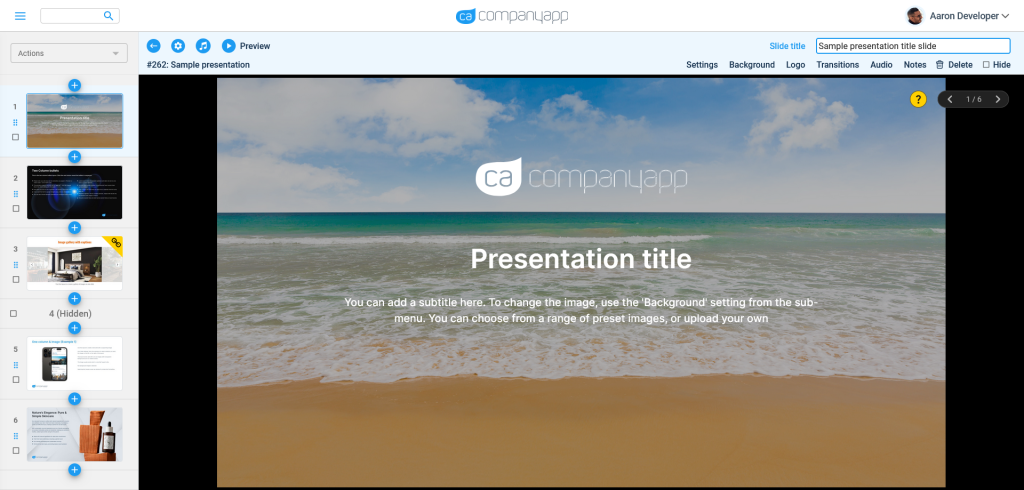
Please note: This image is not interactive